
Role: UI/UX Designer
Tools: Adobe XD
Project Timeline: 2022 – 2023
Client: sesamsec
Platform: Web
PROJECT OVERVIEW
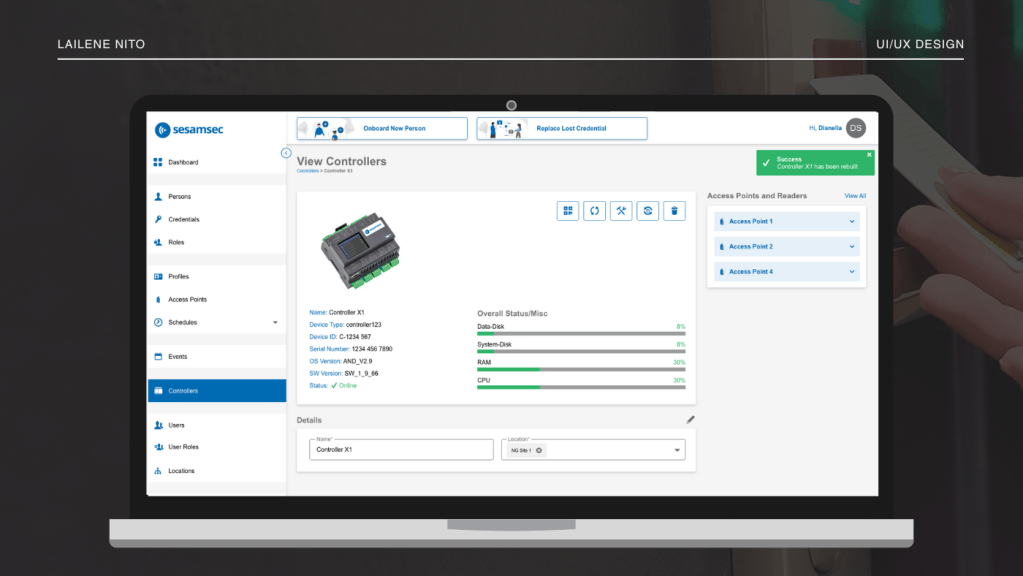
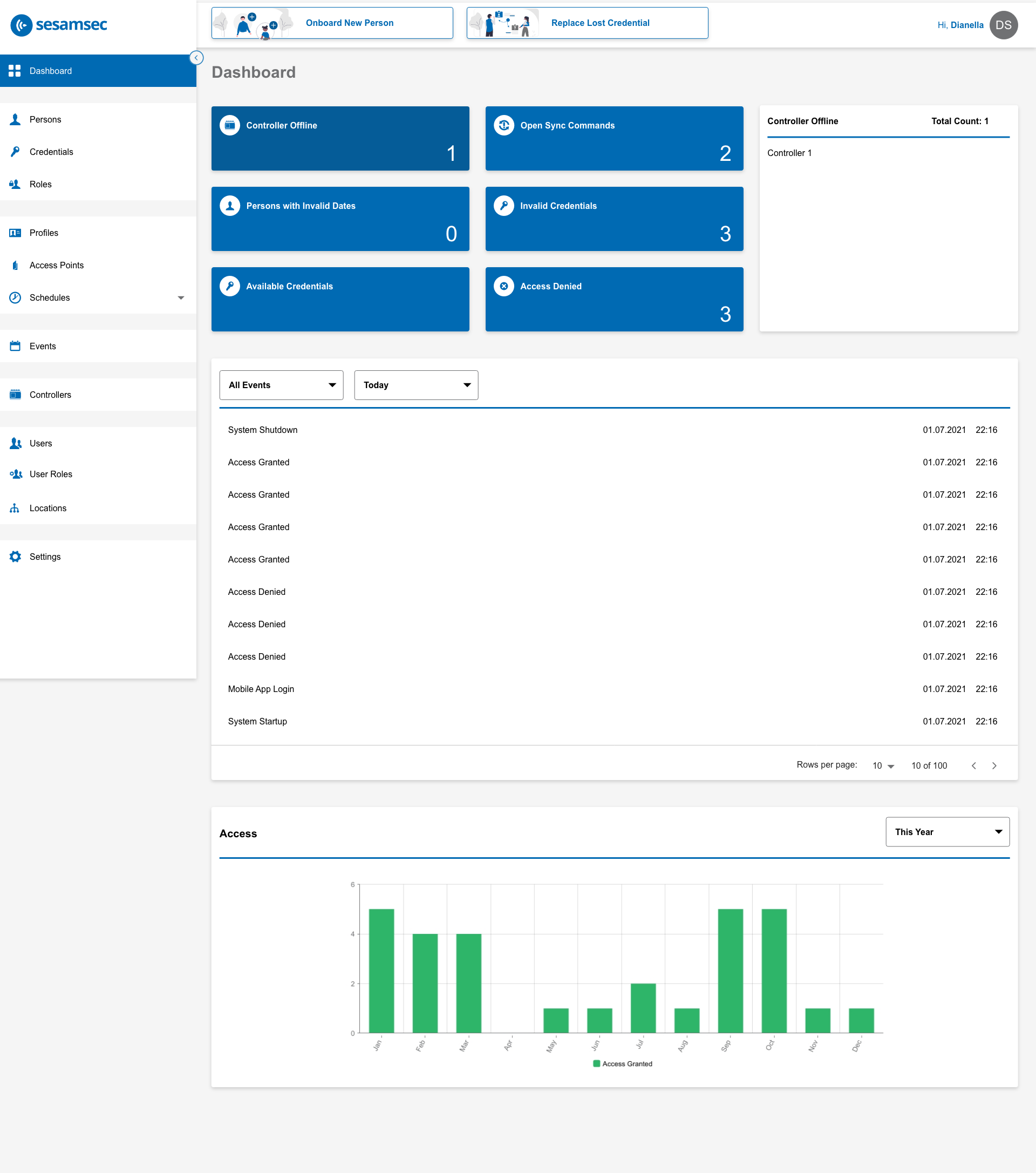
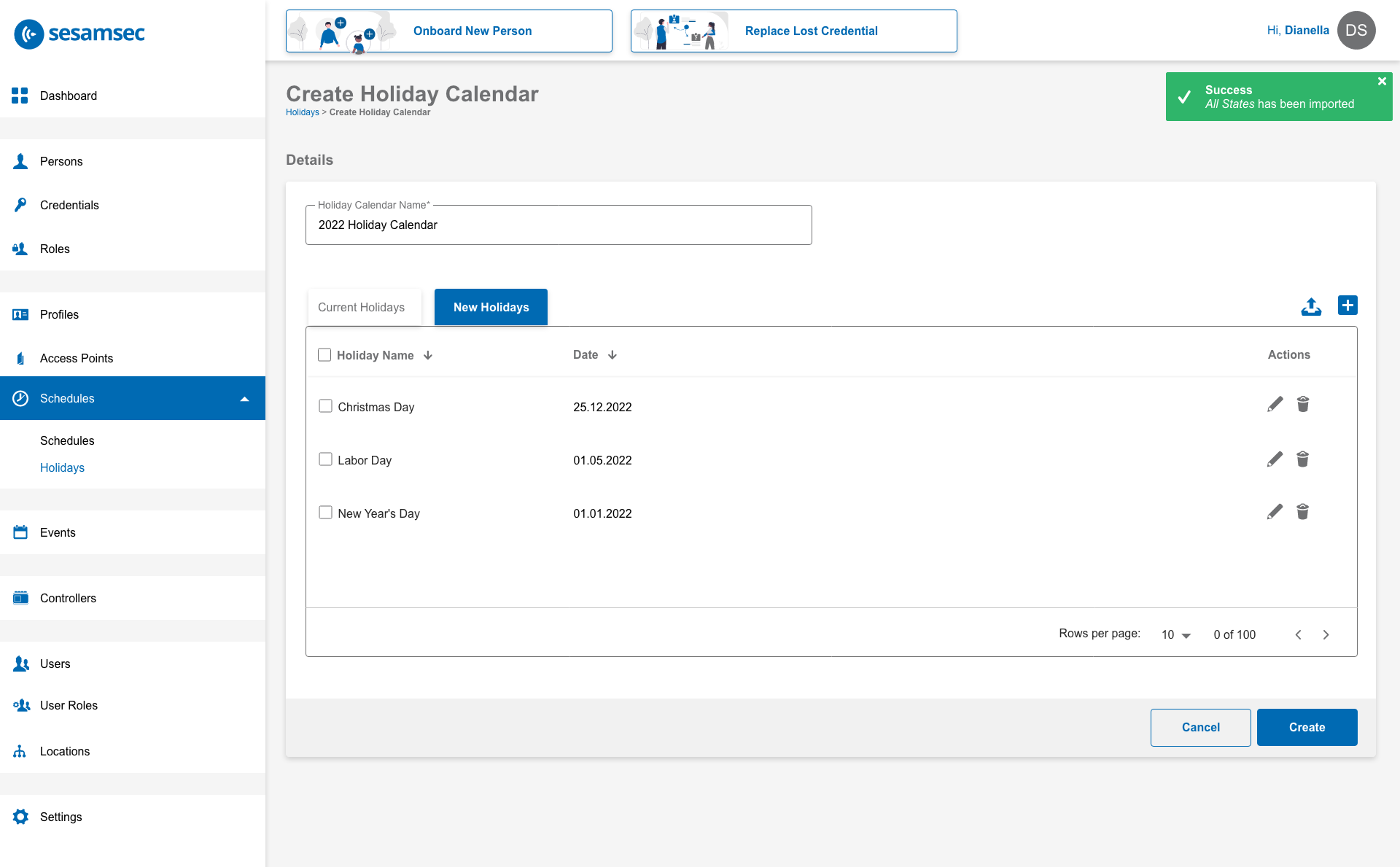
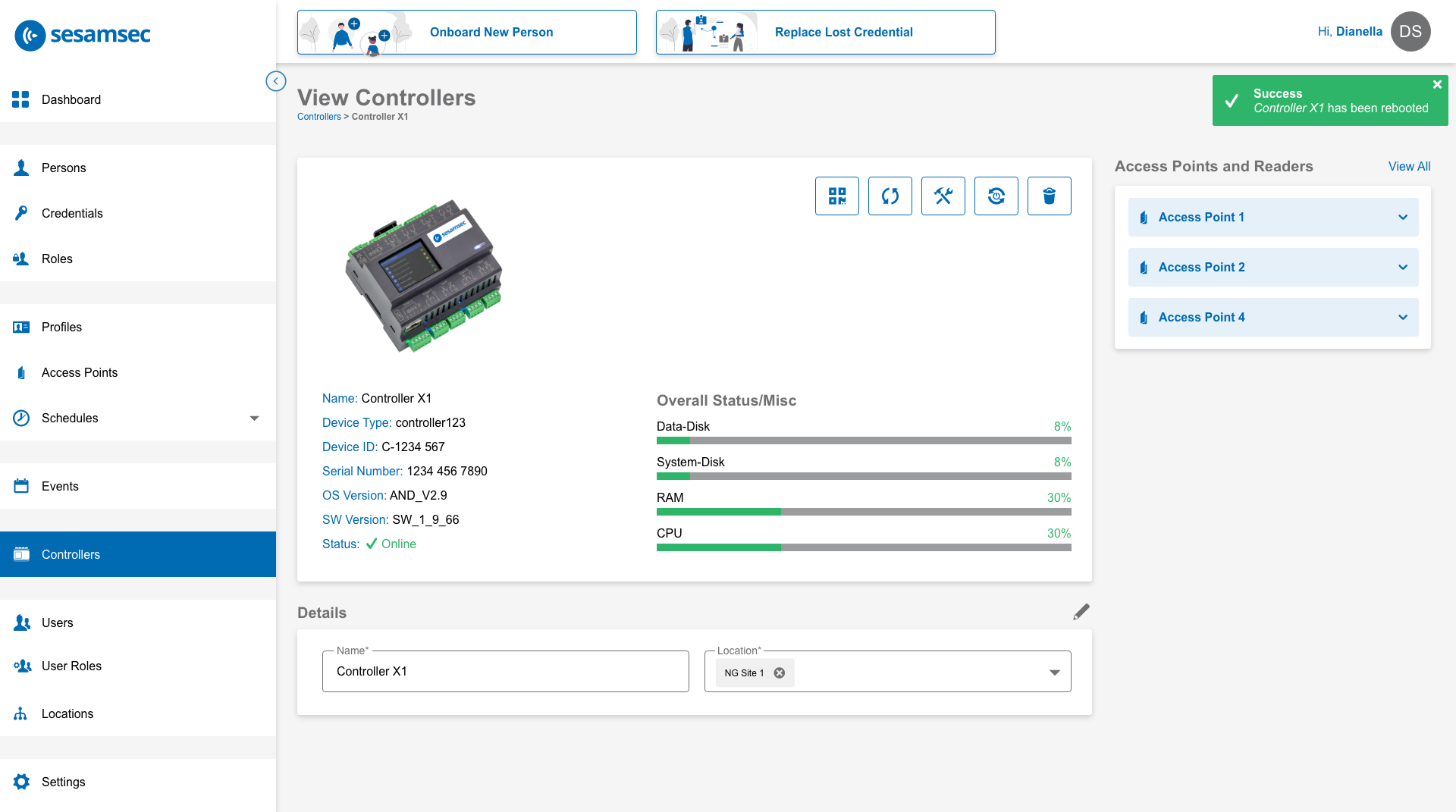
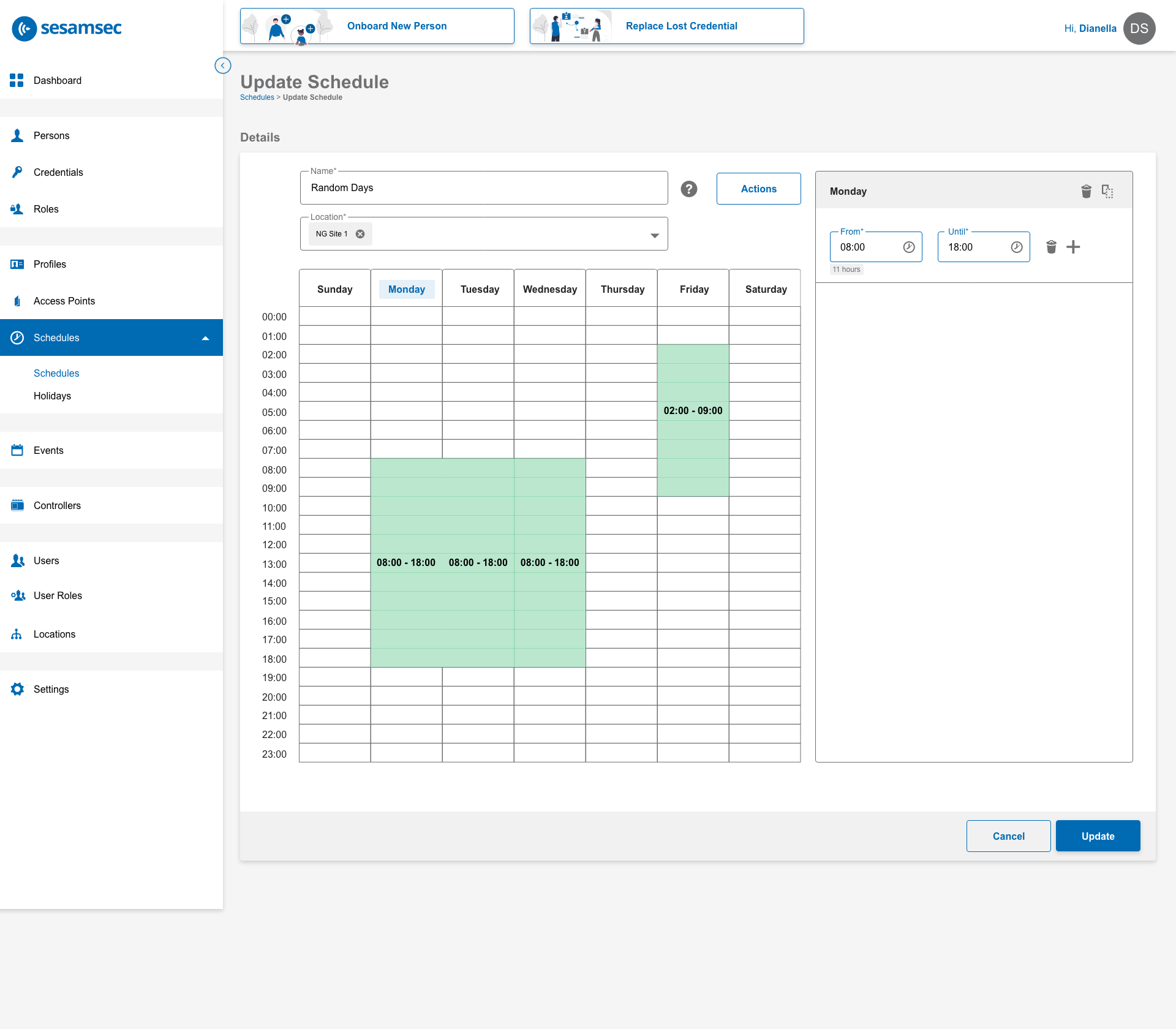
sesamsec is a company that focuses on providing access control solutions. I was tasked to design a web interface that handle the adding of users and user access (credentials and location scope), and viewing of controller status for physical access control.
Goals and Objectives
- Create a user-friendly web interface for sesamsec customers regardless of technical knowledge.
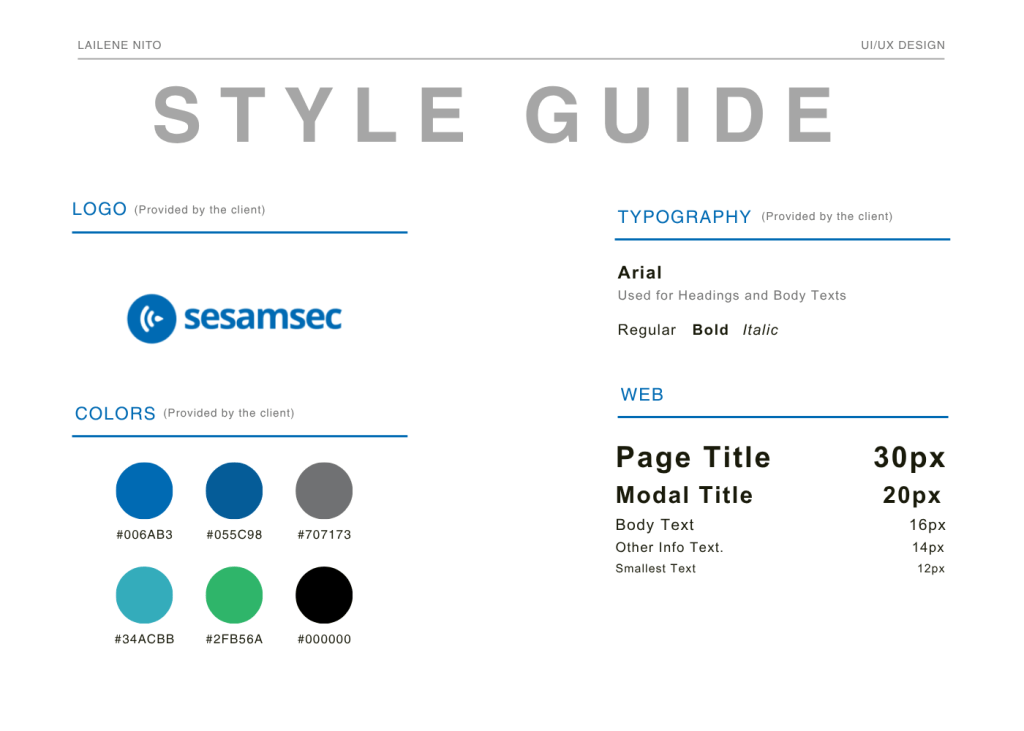
- Implement existing sesamsec branding in the web interface design.
style guide
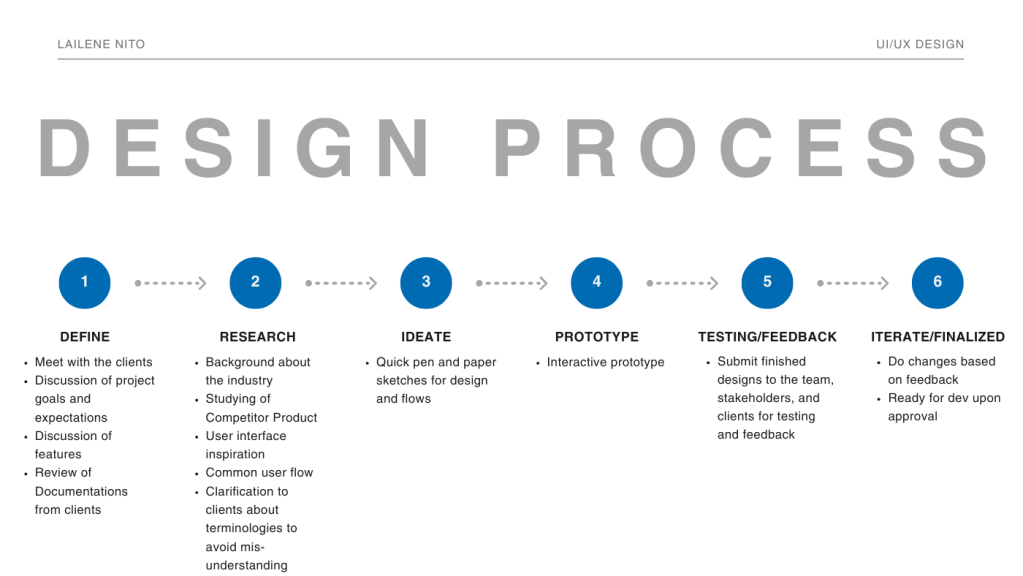
design process
web interface
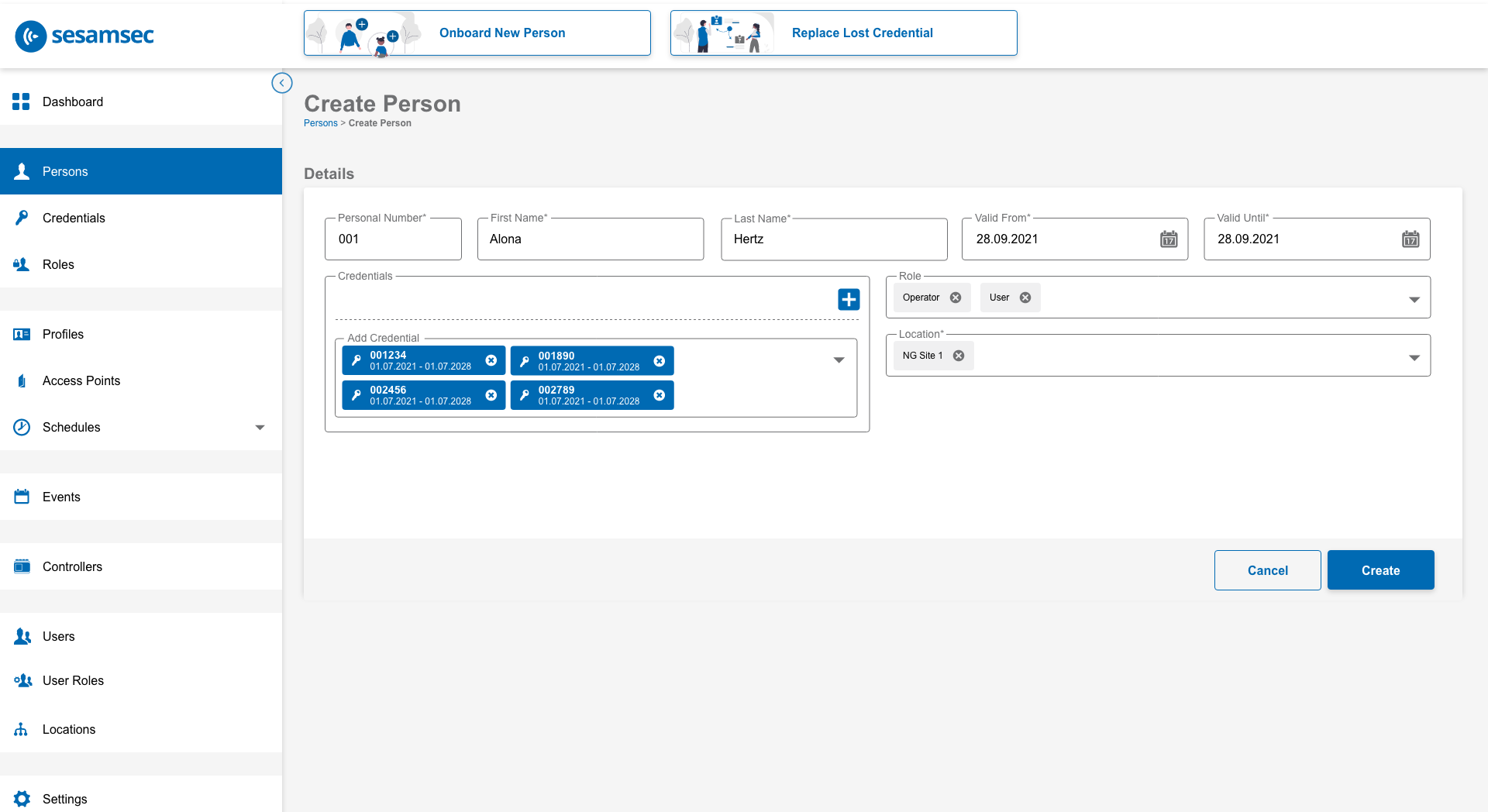
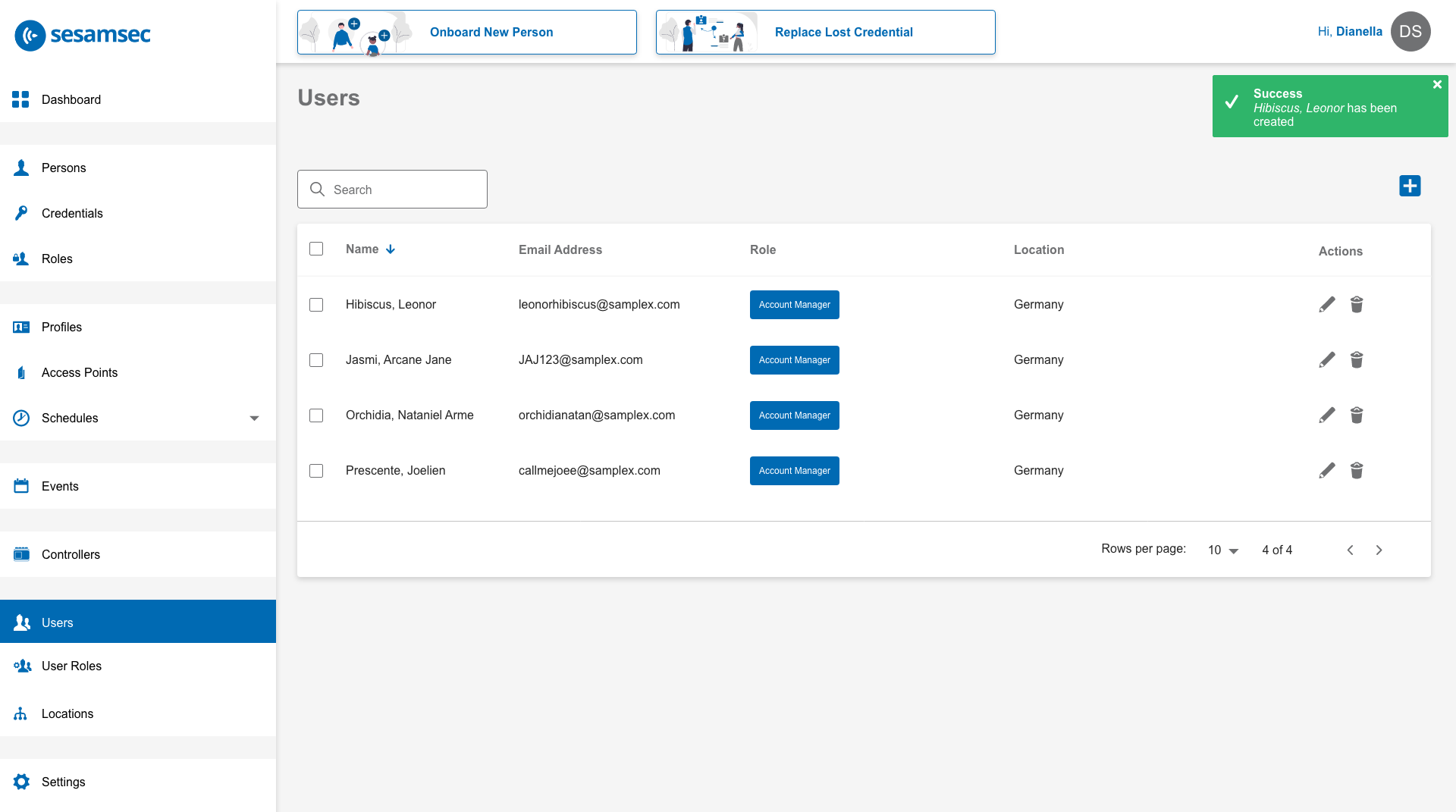
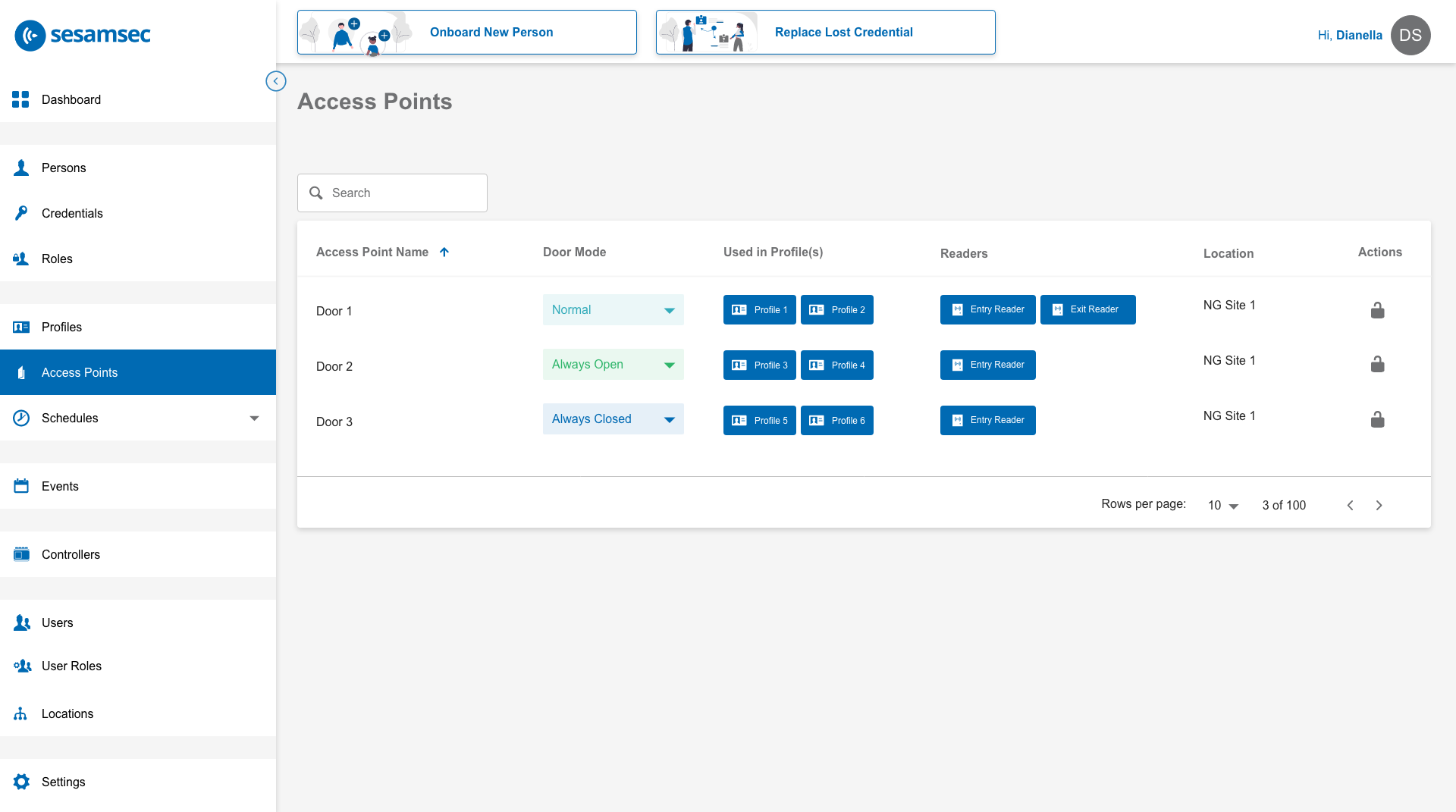
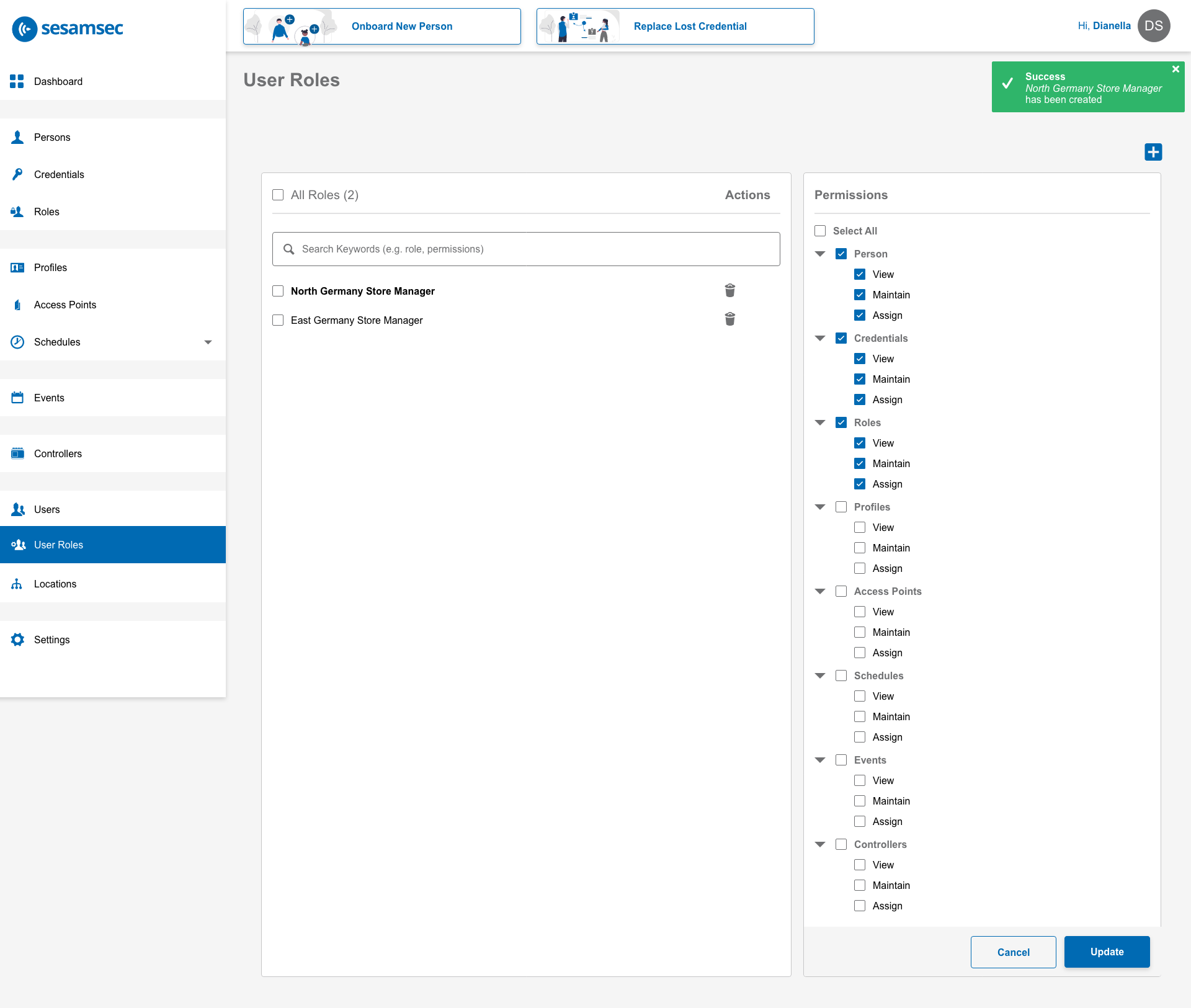
challenges and solutions
- Limited Color Options
- Since sesamsec has an existing branding, there are limited color palette to choose from, which challenged me in maintaining visual hierarchy.
- I made do by adding shades of their existing branding, but with approval from the clients.
- Dependency on Requested Illustrations
- Visual assets like illustrations weren’t available upfront. I had to request them as needed during the design process, which delay the finalization of some screens. So I used placeholder illustrations to somehow visualize the layout.
- Interpreting High-Level Requirements
- Some of the requirements had technical terms I wasn’t familiar with, so I sought help from the development team to interpret them and asked the clients when further clarification was needed, to make sure I understood everything before designing.
- I also submitted design drafts to the client for feedback, then iterated on the designs as needed until they were good to go.
- No Direct Access to the Users
- I had to rely on the stakeholders’ interpretation of what users needed or wanted. When I finished designing a feature and they presented it to their clients, that’s when I am able to get feedback from the users but then it was dependent on their interpretation.
- Referenced competitor products, especially for common flows that users are likely already familiar with.
- No Direct Access to Existing Similar Interfaces
- I didn’t have direct access to existing interfaces, so I relied on the manuals and videos provided to the team. These resources helped me understand the product and extract common user flows, even without hands-on experience.
final thoughts
This was my first time working in the access control industry, and it broadened my experience and knowledge as a UI/UX designer. I gained a deeper understanding of how physical access tools like badges and keycards (which I’d previously only seen used in dramas) actually work behind the scenes.
One of the challenges I faced was interpreting requirements that covered both development and design scopes. While that was difficult at times, I’m proud that I was able to navigate through it and grow by working on a more complex product than what I’d handled in the past.
This project also made me appreciate the value of working with people who are willing to educate you without judgment. That kind of collaborative environment made a big difference in my learning experience.
Working with a company that already had an established brand identity also taught me how to design within those constraints and how to strategically use their color palette to show clear visual hierarchy.
Overall, this project had taught me a lot. If there’s one thing I wish I could have done better, it could be having direct access to its users, so I could gather their thoughts about the design and overall experience firsthand. To me it is important for building stronger empathy and understanding their needs.
 Lailene UI/UX Design